Comment choisir le bon contrôleur à main pour votre bureau réglable en hauteur
Un guide complet pour les acheteurs B2B pour sélectionner le contrôleur de combiné idéal pour les bureaux réglables en hauteur. Comparez les spécifications techniques, les fonctionnalités de sécurité et l'expérience utilisateur à travers les séries IPC1, IPC2, IPC3 et IPC4 pour optimiser votre déploiement de bureau ergonomique.
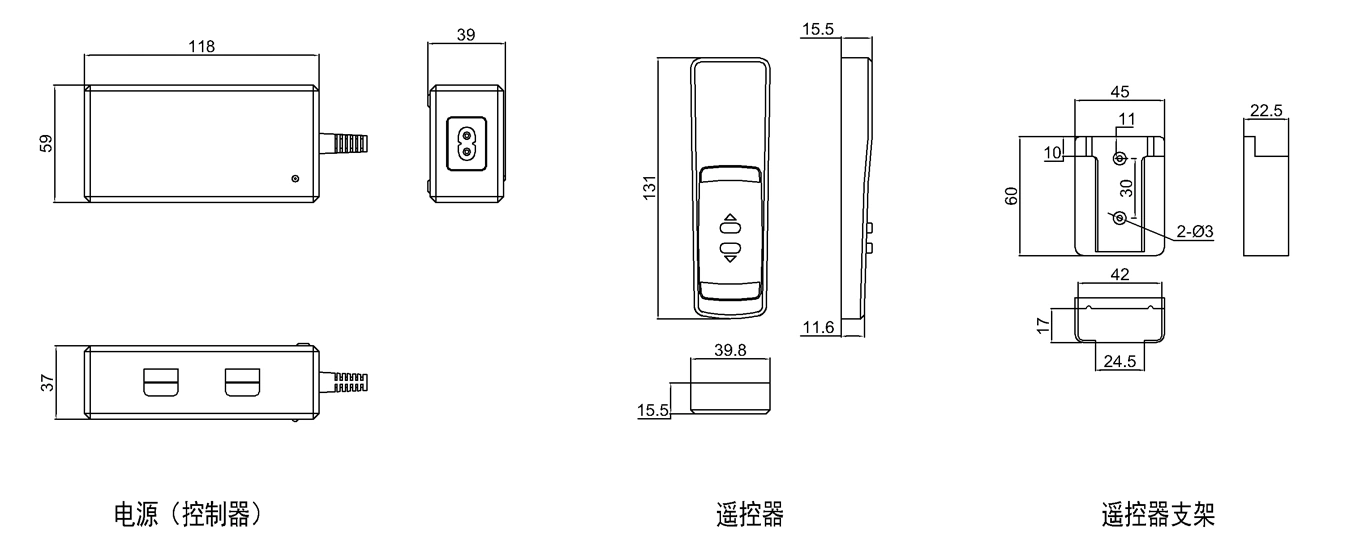
The handset or user interface is one part of a height-adjustable desk control system. Usage frequency varies by deployment, and the interface must be matched to the controller, actuator architecture, user requirements and finished-desk safety logic.
For B2B buyers procuring standing desks at scale, choosing the right controller isn’t just about features. It’s about matching technical specifications to user needs, deployment environments, and budget constraints. A mismatch can create compatibility, usability, installation or service problems. Controller selection should therefore be based on current electrical, interface, feedback, enclosure and validation requirements rather than a feature label alone.
This guide reviews four ActuLift controller platforms—IPC1, IPC2, IPC3 and IPC4—using their current evidence boundaries and the project information that must be confirmed before selection.
Table des matières
Comprendre le paysage des contrôleurs
Les contrôleurs de combiné pour bureaux debout électriques se classent en trois catégories :
Interrupteurs de base: Contrôle simple haut/bas sans affichage ni mémoire
Écrans numériques: Affichage de la hauteur avec des préréglages de mémoire programmables
Interfaces tactiles: Commandes capacitives modernes avec des fonctionnalités de sécurité avancées
Votre choix dépend de trois facteurs : la configuration de l'actionneur (simple colonne contre double colonne), l'expérience utilisateur que vous souhaitez offrir et votre budget par unité.
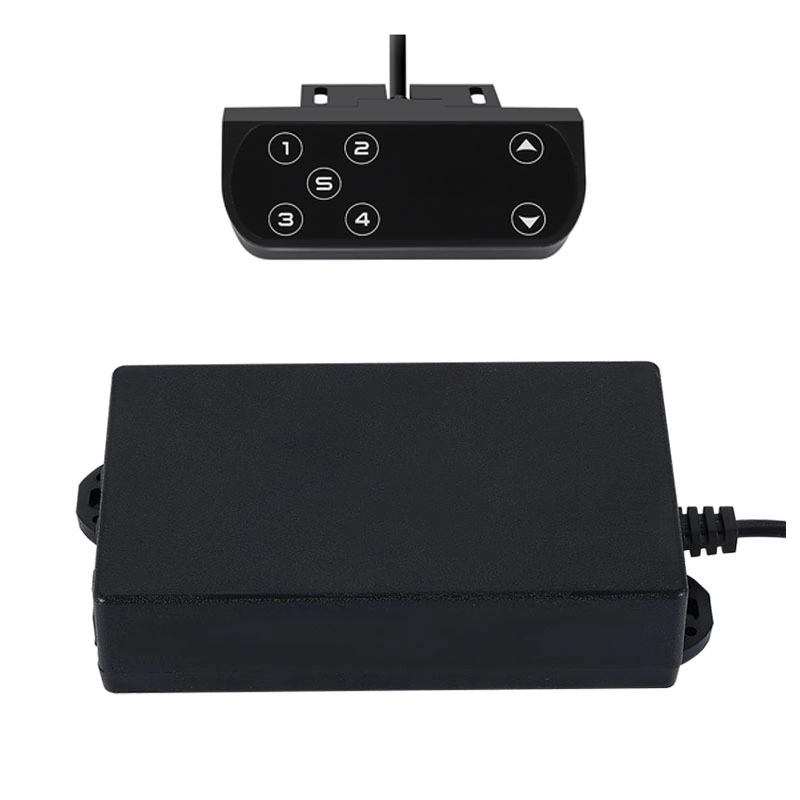
IPC1 is currently documented as a configurable OEM controller platform. The current product evidence does not establish one universal handset style, display, anti-collision function or channel arrangement; confirm the ordered interface and control logic.
Caractéristiques Clés
Power / current: confirm supply input, actuator rated and peak current, duty cycle and wiring
Channel arrangement: confirm actuator count and channel architecture for the selected build
Safety / anti-collision: confirm whether the selected system implements obstruction detection, stop/reverse behavior and its validation method
Limit / fault behavior: confirm travel limits, reset, fault response and interaction with the connected actuator
User interface: confirm display, buttons/touch input, handset functions and connector/interface details for the ordered configuration
Meilleurs cas d'utilisation
Projects where the selected IPC1 interface and channel arrangement match the desk architecture
Systems whose actuator voltage/current and control method are verified against IPC1
Applications with defined cleaning/environment requirements after enclosure and interface compatibility are confirmed
OEM programs that can validate the chosen user interface, wiring and safety behavior on the finished desk
Avantages
Potential fit depends on the selected IPC1 interface, channel arrangement, current capacity and control logic. Confirm all user-interface and safety functions on current product documentation before approval.
Inconvénients
Do not assume touch input, single-actuator-only operation, price tier or a particular safety package from the model name. Verify the exact build, wiring and commercial quotation.
IPC2 is currently documented as a dual-actuator controller architecture. Synchronization performance depends on matched actuators, feedback signals, wiring and commissioning; the current evidence does not establish a universal display, memory or anti-collision package.
Caractéristiques Clés
Dual-actuator architecture: confirm both actuator electrical requirements and controller current capacity
Feedback / synchronization: confirm supported feedback type, signal format, wiring, calibration and permitted position error
User interface: confirm whether display, height readout or memory functions are included in the selected controller/handset configuration
Safety functions: confirm obstruction detection, stop/reverse behavior and finished-desk validation if required
Load mismatch behavior: validate controller response to unequal loading, current limits, faults and mechanical skew
Meilleurs cas d'utilisation
Dual-actuator desks where IPC2 is electrically and functionally compatible with the matched actuator pair
Systems with a defined synchronization-error requirement and commissioning procedure
Projects needing a specified user interface after display/memory functions are confirmed for the selected build
OEM programs that validate desk height, fault behavior, controls and mechanical stability at finished-system level
Avantages
IPC2 can be evaluated for dual-actuator systems, but height readout, memory, anti-collision and synchronization accuracy must be confirmed for the selected controller/handset/actuator configuration.
Inconvénients
Compatibility is configuration-specific. Do not assume Hall feedback is mandatory, a fixed price tier applies, or installation complexity is universal; confirm the actual feedback, wiring, enclosure and quotation.
IPC3 DC Controller Platform — Confirm Control Interface
Aperçu
IPC3 is currently documented as a configurable DC controller architecture. Control method, feedback signals, current capacity, wiring, enclosure and external interface are configuration dependent; do not infer a rocker-switch handset or budget tier from the model name.
Caractéristiques Clés
Control method: confirm switch, handset, external-control or other interface requirements for the selected build
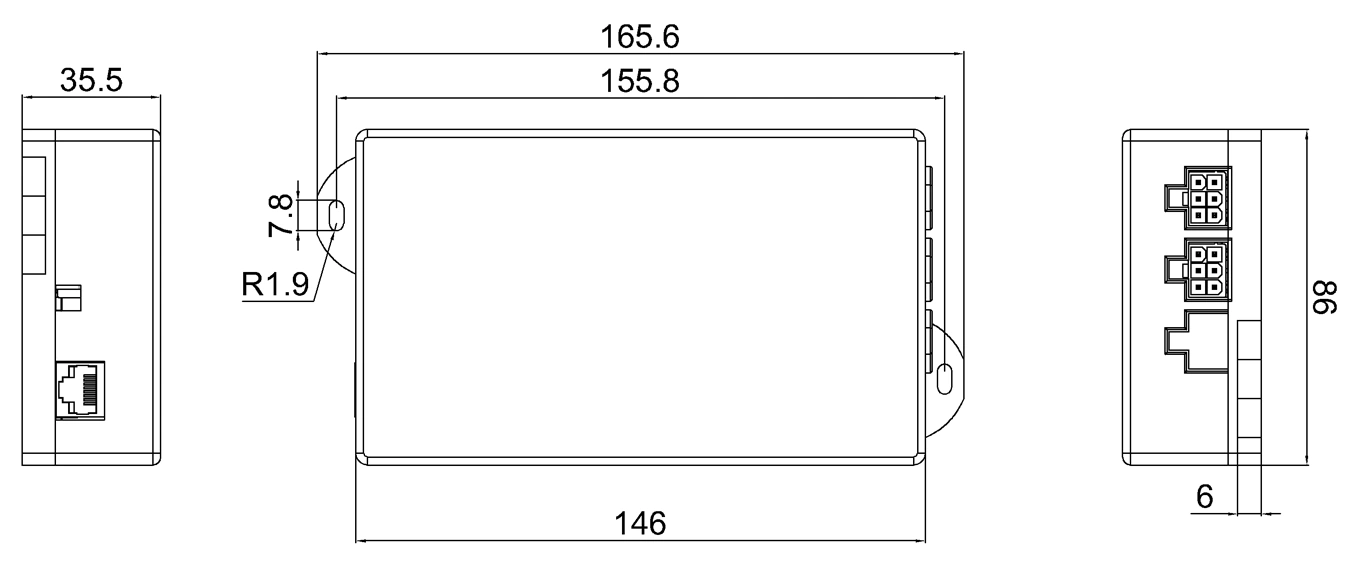
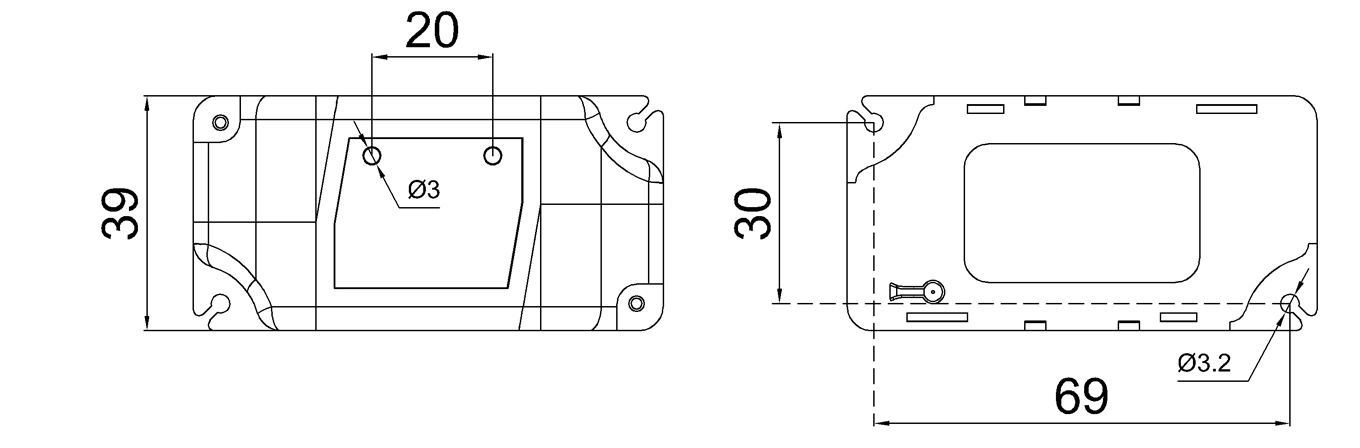
Enclosure / mounting: confirm dimensions, mounting, protection and environmental requirements for the ordered configuration
Meilleurs cas d'utilisation
OEM actuator systems whose control method and electrical limits match the selected IPC3 configuration
Projects where display, memory or other user-interface functions are separately defined rather than assumed absent
Systems that can validate wiring, fault behavior and user controls on the finished equipment
Applications whose enclosure, environment and duty requirements are supported by current documentation
Avantages
IPC3 can be evaluated where its selected electrical/control configuration matches the actuator system. Price, interface simplicity, replacement availability and user training requirements are project/commercial questions rather than fixed product properties.
Inconvénients
Do not assume absence of display/memory, a mechanical switch, or a fixed feature tier from this article. Confirm the current interface, feedback, wiring and enclosure documentation.
IPC4 is currently documented as a configurable multi-channel controller platform. Channel count, current capacity, control method, feedback, synchronization behavior, enclosure and user interface must be confirmed for the selected build.
Caractéristiques Clés
Channel count: confirm the number of actuator channels and their electrical limits
Interface de contrôle: confirm handset, buttons, external control or communication requirements
Feedback / synchronization: confirm supported signals, algorithm and validation target for the selected actuator set
Multi-actuator projects where the required channel count and current capacity are confirmed
Systems whose user-interface requirements are matched to the selected IPC4 configuration
Projects with defined feedback, synchronization, wiring and enclosure requirements
Replacement projects only after connector, actuator, current and control compatibility are verified
Avantages
IPC4 can be evaluated for multi-channel OEM systems when channel count, actuator current, feedback, synchronization and enclosure requirements match the selected build.
Inconvénients
Do not infer a square handset, fixed display/memory status, price tier or comparative safety level from the model name. Confirm the actual interface and finished-system safety functions.
Confirm actuator voltage/current and configuration
Confirm channel count and current capacity
Feedback / synchronization
Configuration dependent
Depends on matched actuators, feedback and commissioning
Configuration dependent
Configuration dependent; validate selected actuator set
User interface
Confirm ordered interface
Confirm display/memory/handset functions
Confirm ordered interface
Confirm ordered interface
Safety functions
Confirm system-level implementation
Confirm system-level implementation
Confirm system-level implementation
Confirm system-level implementation
Enclosure / wiring
Confirm by configuration
Confirm by configuration
Confirm by configuration
Confirm by configuration
Commercial fit
Compare current quotation, required functions, validation and lifecycle/support requirements; no fixed price tier is asserted here.
Guide de décision : Quel contrôleur pour votre scénario ?
Scénario 1 : Bureau d'entreprise avec bureaux partagés
Selection focus: define actuator count, feedback, synchronization target and required user-interface functions before choosing a controller.
For shared workstations, first define whether height display, memory recall, user profiles or other handset functions are actually required. If a dual-actuator desk is used, synchronization and stability depend on the matched actuator pair, controller, feedback, commissioning and desk structure.
Scénario 2 : Suites exécutives et salles de conférence
Selection focus: define the desired user interface, actuator/channel architecture, current capacity and safety functions before choosing a controller.
For executive or meeting-room furniture, define the desired interface, mounting, display/handset functions and cable routing, then confirm which current controller configuration provides them. Do not infer touch input or a single-actuator architecture from IPC1.
Scénario 3 : Établissement éducatif ou centre de formation
Selection focus: define the required control interface, electrical compatibility, serviceability and budget from the actual project.
For education or training environments, define required controls, cleaning/service conditions, misuse/fault behavior, replacement strategy and budget. Do not assume IPC3 is a rocker switch, the lowest-cost option, or training-free without the current ordered interface.
Scénario 4 : Déploiement de bureau standard (50+ bureaux)
Selection focus: compare required channels, current, feedback, UI, enclosure, validation and current quotation rather than assuming a model from deployment size.
For larger deployments, compare the required channel count, actuator current, user interface, feedback, safety functions, enclosure, installation process, spare strategy and quotation. Deployment size alone does not determine IPC3 or IPC4.
Scénario 5 : Programme ergonomique avec des utilisateurs de hauteurs diverses
Selection focus: define actuator count, feedback, synchronization target and required user-interface functions before choosing a controller.
For ergonomic programs, define the required desk height range, adjustment interface, display or memory needs and finished-desk ergonomic criteria. A controller feature does not by itself establish health outcomes, and IPC2 display/memory functions must be confirmed for the selected configuration.
Avant de sélectionner un contrôleur, vérifiez la compatibilité avec votre système d'actionneurs :
Actuator count: confirm channel architecture and electrical compatibility for the selected controller; do not infer compatibility from this article
Dual-actuator systems: IPC2 is currently a dual-actuator architecture, but confirm actuator pair, feedback, current, wiring and synchronization requirements before approval
Rétroaction: confirm Hall, potentiometer, limit or other signal compatibility for the selected controller/actuator system; feedback does not guarantee a particular precision
Exigences d'installation
Prenez en compte la complexité d'installation dans le coût total :
IPC3 / IPC4: confirm connector count, harness routing, mounting, setup and commissioning steps for the selected configuration
IPC1: confirm wiring, mounting, interface and commissioning requirements from the approved configuration
IPC2: dual-actuator commissioning may require actuator matching, feedback/wiring checks and synchronization validation; do not assume a fixed installation time
Support à long terme
Considérez la disponibilité de remplacement :
Confirm connector/interface standardization and whether replacement controllers are backward-compatible with the deployed actuator and handset configuration
Record controller revision, wiring, actuator/feedback pairing and approved replacement part numbers for each deployed configuration
Set spare quantity from failure history, installed base, lead time, service target and replacement compatibility rather than a fixed percentage
Conclusion : Associer le contrôleur aux besoins des utilisateurs
Il n'existe pas de contrôleur de main universellement "meilleur". Le bon choix dépend de votre déploiement spécifique :
Selection priority
What to verify before choosing a controller
User interface
Required buttons/touch/display/memory functions, mounting, connector and cleaning/service conditions
Actuator architecture
Channel count, actuator voltage, rated/peak current, feedback and wiring compatibility
Synchronization
Matched actuators, feedback signals, controller algorithm, commissioning and permitted position error
Safety / faults
Limit behavior, obstruction detection if required, stop/reverse logic, reset and finished-desk validation
Commercial / lifecycle
Current quotation, revision control, replacement compatibility, lead time, documentation and spare strategy
For B2B buyers, define the functions users need, then verify which current controller/handset configuration supplies those functions while remaining electrically and mechanically compatible with the desk. Do not map deployment type directly to an IPC model without current configuration evidence.
Prochaines étapes
Évaluez vos cas d'utilisation: Associez les types de contrôleurs aux emplacements des bureaux
Demandez des échantillons: Testez les unités IPC1-IPC4 avant de commander en gros
Vérifiez la compatibilité: Confirmez l'association entre l'actionneur et le contrôleur
Planifiez l'installation: Prenez en compte la complexité du câblage dans le calendrier
Plan spares: set quantity from installed base, lead time, service target, failure history and replacement compatibility
Treat the handset, controller, actuator set, wiring and desk mechanics as one control system. Approve the configuration after compatibility, user-interface, synchronization/fault and finished-desk validation requirements are met.
Références
Association de santé ergonomique : Lignes directrices sur l'utilisation des bureaux assis-debout.
ISO 9241-5 : Exigences ergonomiques pour le travail de bureau avec terminaux d'affichage visuel (VDT).
Obtenez des Aperçus d'Experts sur le Contrôle de Mouvement Industriel
Sélectionner le bon vérin linéaire électrique ou colonne de levage est crucial pour la performance de votre projet. En tant que fabricant professionnel de Contrôle de Mouvement & Automatisation, nos ingénieurs vous aident à personnaliser la capacité de charge, la longueur de course et les classes IP en fonction de votre application spécifique. Partagez vos exigences techniques pour une solution sur mesure.
ActuLift prend en charge la personnalisation de bout en bout, de la conception structurelle et des paramètres de course aux finitions de marque et de boîtier, vous aidant à construire une identité de marque puissante.
Réponse rapide et prototypage
Nous comprenons l'importance de la rapidité dans l'approvisionnement B2B, en utilisant des flux de production optimisés pour garantir des réponses efficaces du développement d'échantillons à la livraison en gros.
Quality Documentation & Traceability
Quality and traceability requirements vary by project. Ask ActuLift for the applicable inspection records, product specifications, drawings and available compliance documentation for the selected model and order.