How to Choose the Right Handset Controller for Your Height Adjustable Desk
A comprehensive B2B buyer’s guide for selecting the ideal handset controller for height-adjustable desks. Compare technical specifications, safety features, and user experience across the IPC1, IPC2, IPC3, and IPC4 series to optimize your ergonomic office deployment.
The handset controller is the command center of any height adjustable desk. It’s the interface your employees interact with dozens of times per day—the difference between a seamless sit-stand experience and constant frustration.
For B2B buyers procuring standing desks at scale, choosing the right controller isn’t just about features. It’s about matching technical specifications to user needs, deployment environments, and budget constraints. The wrong choice means support tickets, user complaints, and premature replacements. The right choice means adoption, satisfaction, and long-term reliability.
This guide compares four industry-standard controllers—IPC1, IPC2, IPC3, and IPC4—to help you make an informed decision for your organization.
Table of Contents
Understanding the Controller Landscape
Handset controllers for electric standing desks fall into three categories:
Basic switches: Simple up/down control with no display or memory
Digital displays: Height readout with programmable memory presets
Touch interfaces: Modern capacitive controls with advanced safety features
Your choice depends on three factors: the actuator configuration (single vs. dual column), the user experience you want to deliver, and your per-unit budget.
Let’s examine each controller in detail.
IPC1 Touch Panel Controller
Overview
The IPC1 represents the modern approach to desk control. Its capacitive touch interface eliminates mechanical buttons, creating a sleek, minimalist aesthetic that appeals to contemporary office environments.
Key Features
Touch-sensitive interface: No moving parts, easy to clean
Single-actuator control: Designed for single-column desk frames
Built-in anti-collision detection: Stops and reverses when obstruction detected
Pause and rebound safety modes: Prevents pinching and equipment damage
LED height display: Visual feedback during adjustment
Best Use Cases
Executive offices and conference rooms where aesthetics matter
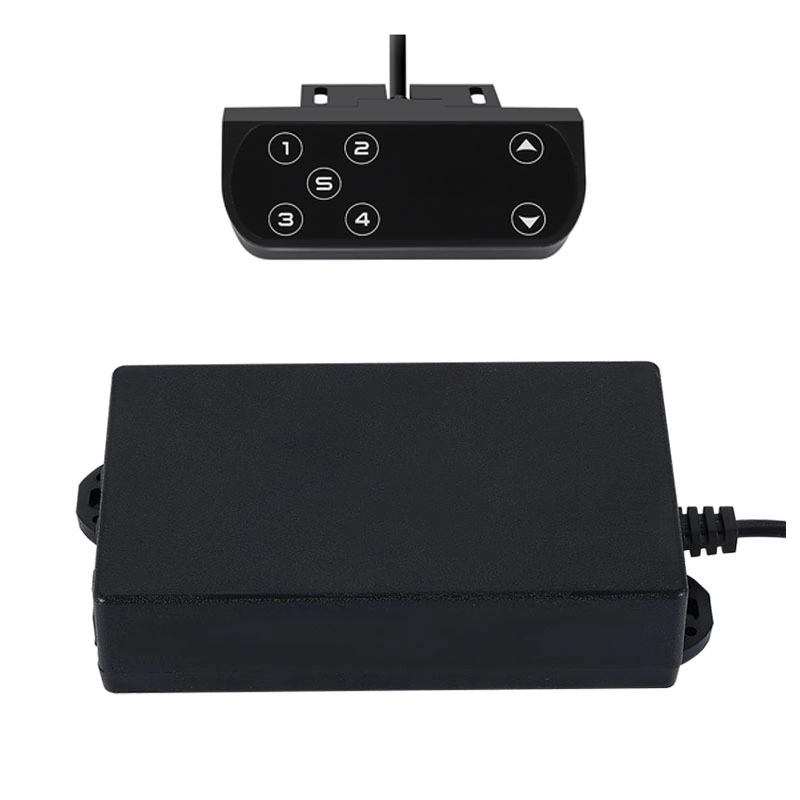
The IPC2 is the workhorse of dual-column standing desk systems. Its digital display shows precise height measurements, while memory presets enable one-touch positioning—a critical feature for shared desks.
Key Features
Digital height display: Real-time readout in centimeters or inches
Dual-actuator synchronization: Hall sensor feedback ensures both motors move in unison
Memory presets: Save 2-4 preferred height positions
Anti-collision technology: Obstacle detection with automatic reversal
Intelligent load balancing: Distributes weight evenly across both actuators
Best Use Cases
Hot-desking environments and shared workstations
Dual-column standing desk frames
Organizations with diverse employee height ranges
Settings where precise height recall matters (ergonomic programs)
The IPC3 takes a minimalist approach. Its rocker switch design—shaped like a small boat—provides straightforward up/down control without displays or programmable features. It’s the economical choice for budget-conscious deployments.
Key Features
Rocker switch design: Intuitive tilt-up for rise, tilt-down for lower
Basic up/down control: No height display or memory
Simple wiring: Easy installation and replacement
Compact footprint: Minimal desk surface area required
Best Use Cases
Budget-conscious bulk deployments
Single-user offices where memory presets aren’t needed
Educational institutions and training facilities
Secondary workstations with occasional height adjustment
Pros
✓ Lowest cost per unit ✓ Extremely simple operation—no training required ✓ Reliable mechanical design ✓ Easy to source and replace
Cons
✗ No height display or memory presets ✗ Basic functionality only ✗ Mechanical switch may wear over time
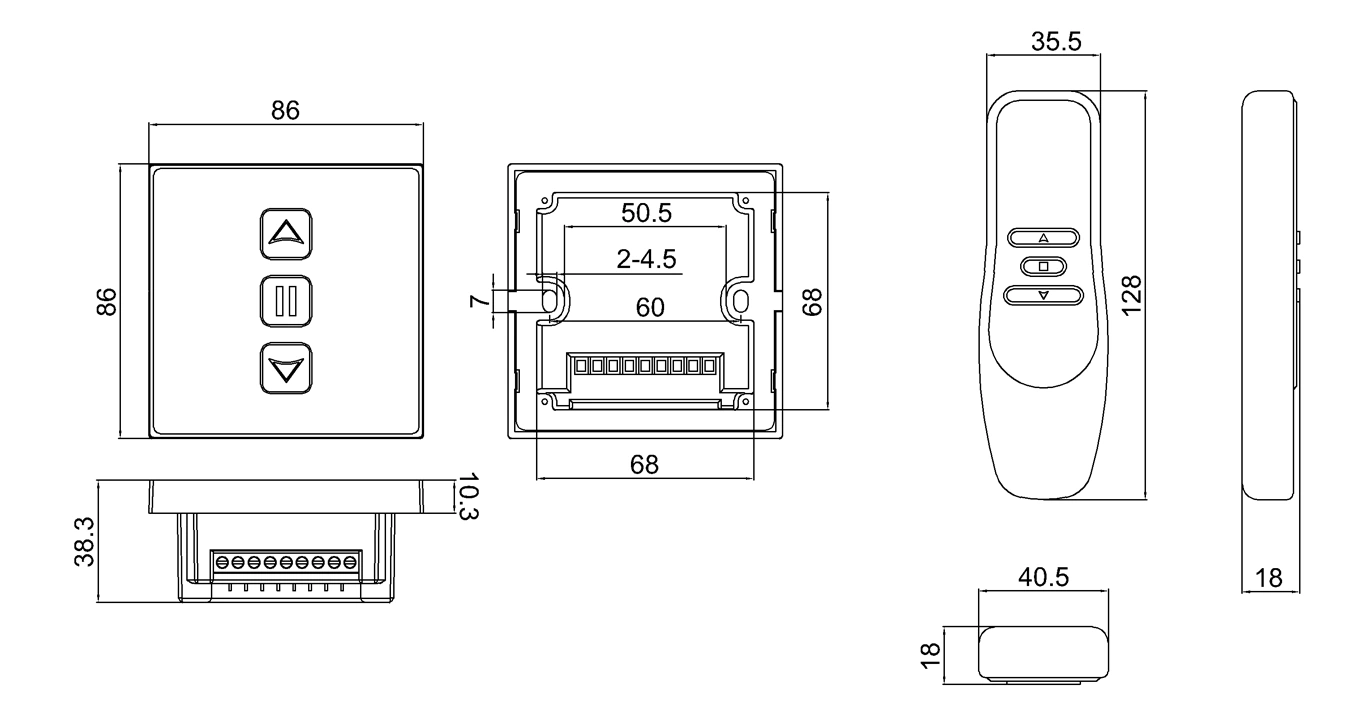
The IPC4 combines compact design with straightforward functionality. Its square form factor fits cleanly into various desk aesthetics while providing reliable basic control.
Key Features
Compact square design: Minimalist footprint
Straightforward operation: Simple button controls
Basic functionality: Up/down adjustment without advanced features
Versatile mounting: Fits standard controller cutouts
Best Use Cases
Space-constrained desk designs
Minimalist office aesthetics
Standard office environments without specialized requirements
Replacement controller for existing installations
Pros
✓ Compact, unobtrusive design ✓ Reliable basic functionality ✓ Compatible with standard mounting configurations ✓ Cost-effective for mid-range deployments
Cons
✗ Limited advanced features ✗ No digital display or memory presets ✗ Basic safety features compared to IPC1/IPC2
Decision Guide: Which Controller for Your Scenario?
Scenario 1: Corporate Office with Hot Desking
Recommended: IPC2
Shared workstations demand memory presets. Employees can save their preferred sitting and standing heights, then recall them instantly—no manual adjustment needed. The dual-actuator support ensures stability for larger desk surfaces.
Aesthetics and user experience take priority. The touch interface looks premium and operates smoothly. Single-actuator support is sufficient for most executive desk configurations.
Scenario 3: Educational Institution or Training Facility
Recommended: IPC3
Budget constraints and high user turnover make simplicity the priority. Students and staff need basic up/down functionality—nothing more. The rocker switch is intuitive and requires zero training.
Scenario 4: Standard Office Deployment (50+ Desks)
Recommended: IPC4 or IPC3
For mid-range budgets, IPC4 provides a balance of functionality and cost. For maximum savings at scale, IPC3 delivers reliable basic control without premium features that may go unused.
Scenario 5: Ergonomic Program with Diverse User Heights
Recommended: IPC2
When supporting employees ranging from 5’0″ to 6’5″+, precise height tracking matters. The digital display and memory presets enable personalized ergonomic positioning—critical for program adoption and health outcomes.
Can I use a single-actuator controller like IPC1 for a dual-motor desk?
No, dual-motor desks require a controller like the IPC2 that supports Hall sensor synchronization to ensure both lifting columns move at the exact same speed and height.
What is the benefit of a “Touch Panel” vs. a “Mechanical Switch”?
Touch panels (like IPC1 ) have no moving parts, making them more durable and easier to sanitize in healthcare or lab environments, whereas mechanical switches (like IPC3) offer tactile feedback and cost-effectiveness.
How do memory presets improve office ergonomics?
Memory presets allow users to switch between their ideal sitting and standing heights with one touch, reducing the friction of manual adjustments and encouraging more frequent posture changes throughout the day.
Do these controllers include safety features?
Yes, premium models like the IPC1 and IPC2 feature built-in anti-collision technology that automatically stops and reverses the desk’s movement if an obstruction is detected.
Conclusion: Match Controller to User Needs
There’s no universally “best” handset controller. The right choice depends on your specific deployment:
Priority
Recommended Controller
Premium user experience
IPC1
Shared workstations
IPC2
Budget-conscious bulk buy
IPC3
Standard office deployment
IPC4
Ergonomic program support
IPC2
For B2B buyers, the calculus is straightforward: invest in features your users will actually use. Memory presets matter for shared desks. Touch interfaces matter for executive spaces. Basic switches suffice for training rooms and secondary workstations.
Next Steps
Audit your use cases: Map controller types to desk locations
Request samples: Test IPC1-IPC4 units before bulk ordering
Verify compatibility: Confirm actuator and controller pairing
Plan installation: Factor wiring complexity into timeline
Budget for spares: Order 2-3% extra for replacements
The handset controller is a small component with outsized impact on user satisfaction. Choose wisely.
References
Ergonomics Health Association: Guidelines on Sit-Stand Desk Usage.
ISO 9241-5: Ergonomic requirements for office work with visual display terminals (VDTs).
Get Expert Insights on Industrial Motion Control
Selecting the right electric linear actuator or lifting column is critical for your project's performance. As a professional Motion Control & Automation Manufacturer, our engineers help you customize load capacity, stroke length, and IP ratings based on your specific application. Share your technical requirements for a tailored solution.
ActuLift supports end-to-end customization, from structural design and stroke parameters to branding and casing finishes, helping you build a powerful brand identity.
Rapid Response & Prototyping
We understand the importance of speed in B2B procurement, utilizing optimized production workflows to ensure efficient responses from sample development to bulk delivery.
Stable Quality & Traceability
With ISO9001 quality assurance, every product—from material entry to final factory testing—is recorded in our electronic logs, ensuring high consistency in delivered goods.