Smart Furniture: Pop-Up TV Lifts for Cabinets Guide
Plan a concealed TV-lift installation by cabinet geometry, screen/bracket load, stroke, retracted and extended dimensions, clearances, controls, cable routing, power, noise target, protection and documentation. IPTV is used as a configuration example; confirm commercial specifications on the product page.
Pop-up TV lifts are one way to integrate a display into cabinets, media furniture or custom fixtures when the project needs powered vertical movement and concealed storage.
This guide reviews the ActuLift IPTV platform from an integration perspective: screen/bracket load, cabinet geometry, stroke, retracted/extended dimensions, speed, noise, power, controls, cable routing, environmental protection and documentation. It does not assign a universal screen-size range.
Scope: This is an integration and project-planning guide, not the commercial specification page for IPTV. Use the guide to define cabinet geometry, motion envelope, screen/bracket load, installation, cable routing and control requirements. For current IPTV configuration options, quotation, sample approval and OEM procurement, use the IPTV TV Lifting Column product page.
Use these checkpoints to define a production-intent TV-lift configuration and validate the complete furniture assembly before volume order or installation.
Table of Contents
Understanding TV Lift Mechanisms: The Foundation of Smart Furniture
What Is a TV Lift Mechanism?
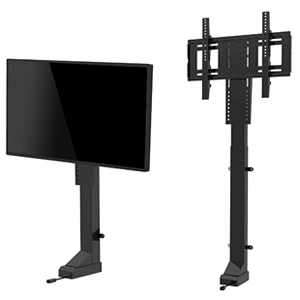
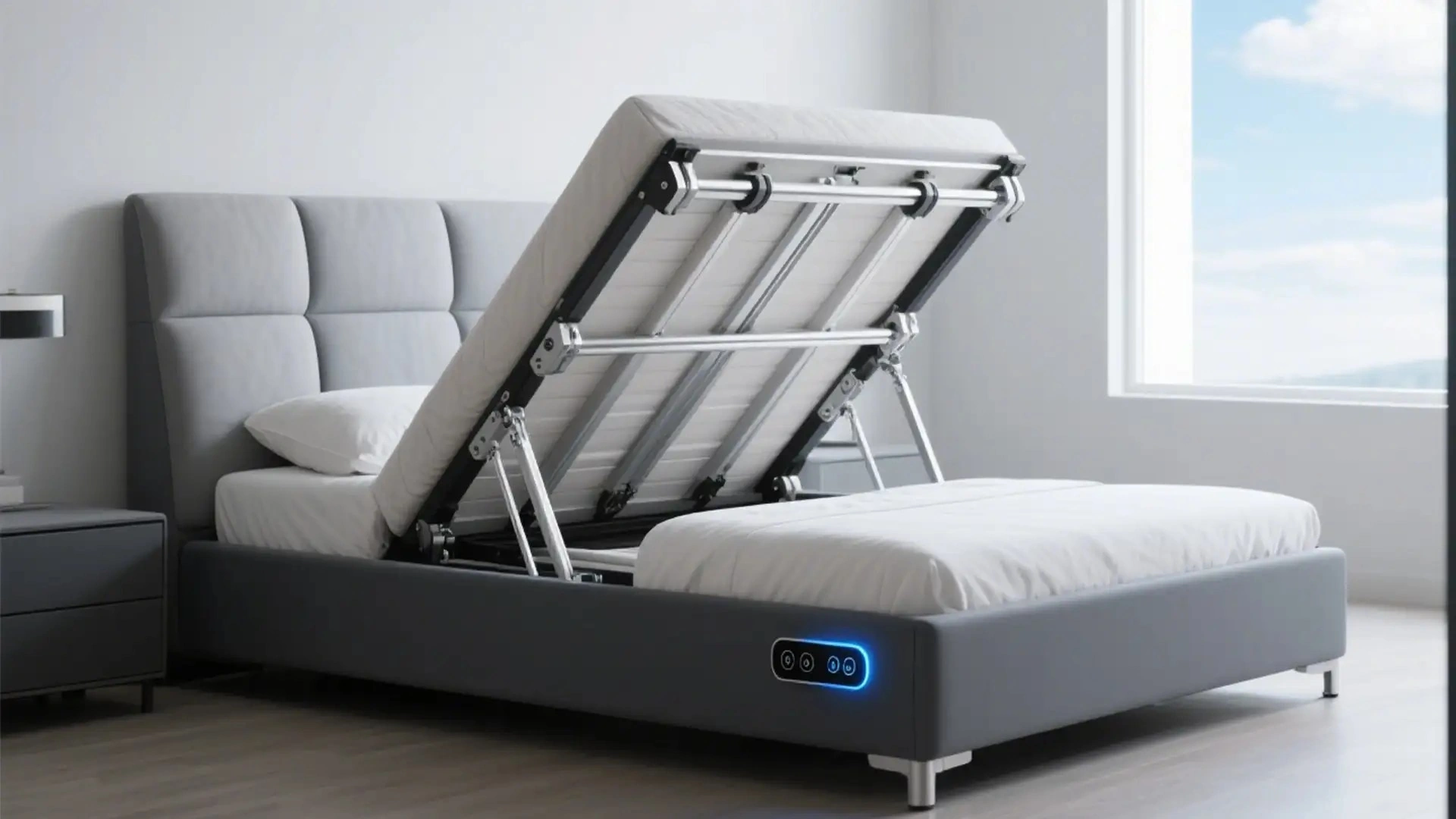
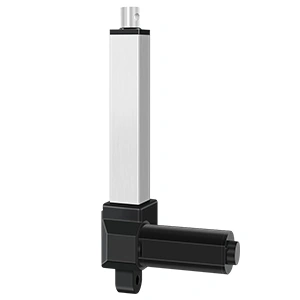
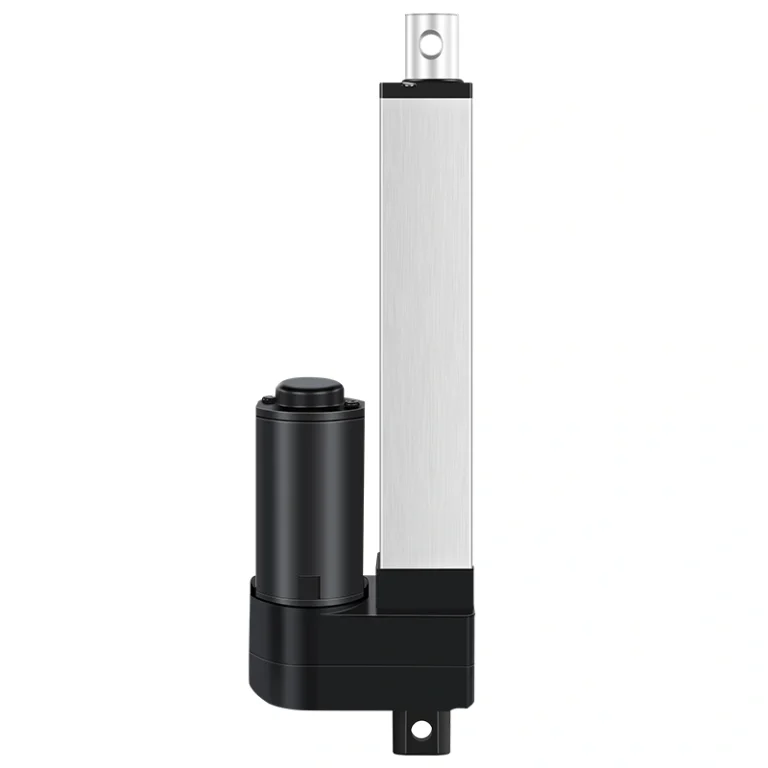
A TV lift mechanism is an electromechanical system designed to raise and lower television displays from within furniture pieces such as cabinets, credenzas, bed frames, and custom built-ins. These mechanisms utilize electric linear actuators to achieve smooth, controlled vertical movement, transforming how users interact with their audiovisual equipment.
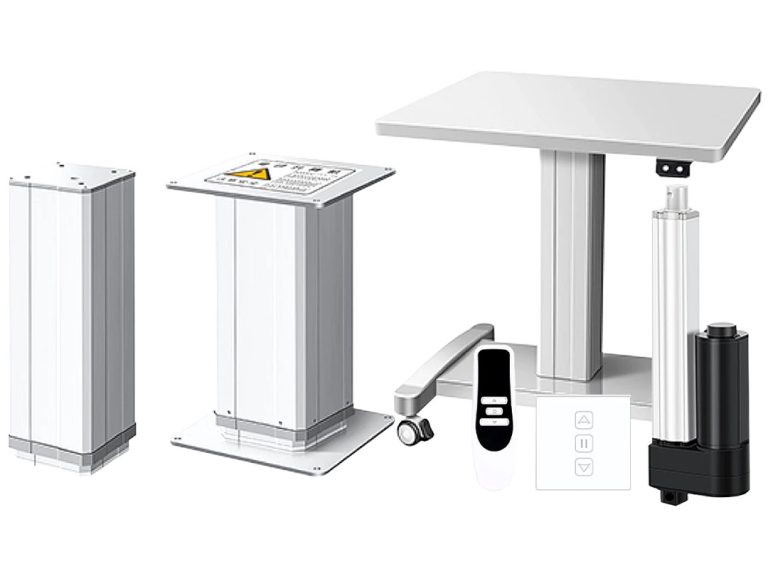
The core components of a typical TV lift mechanism include:
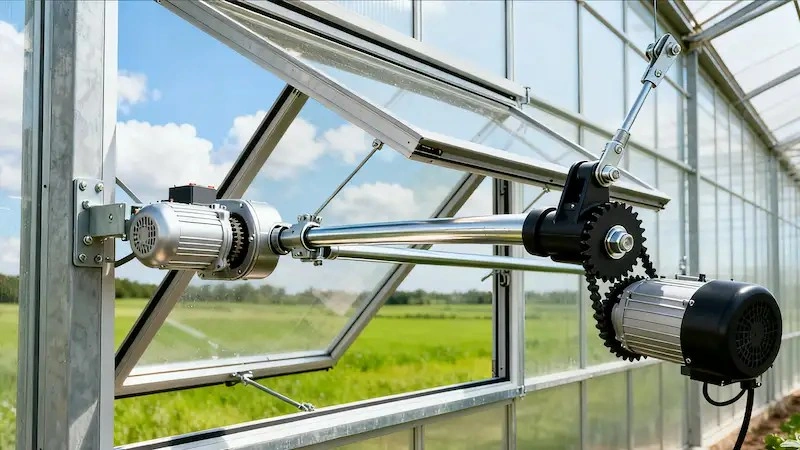
Electric Linear Actuator: The motor unit that converts electrical energy into linear motion
Lifting Column: The structural element that extends and retracts to move the TV
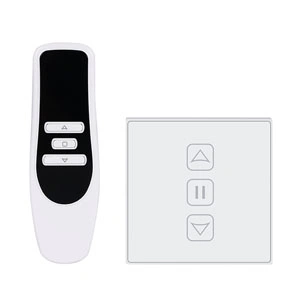
Control System: Remote controls, wall switches, or smart home integration for operation
Mounting Hardware: Brackets and adapters that secure the television to the lift mechanism
Why Choose Concealed TV Installation?
Concealed TV installations offer compelling advantages that explain their growing popularity in modern interior design:
Space Optimization: By mounting TVs within furniture, you eliminate the need for wall-mounted displays or bulky television stands, freeing up valuable floor space and creating a cleaner visual profile.
Aesthetic Appeal: When not in use, the television disappears completely, maintaining the furniture’s intended design and allowing the room’s decor to take center stage.
Protection: Hidden within cabinets, televisions are protected from dust, accidental damage, and unauthorized access—particularly important in households with children.
Versatility: The same piece of furniture can serve multiple purposes, with the TV appearing only when desired and the cabinet providing storage or display space otherwise.
IPTV as a Configuration Example
The IPTV series is a configurable OEM TV-lift platform for furniture and AV integration. Current product evidence lists configuration-specific stroke, load, speed, noise, power, environmental-protection and control options that must be confirmed for the selected build and cabinet assembly.
Key Features of IPTV Lifting Columns
Load: The current product brief lists 1500N as a static-load figure. Confirm working/dynamic load, screen and bracket weight, leverage, guide support, duty cycle, safety factor and test conditions; do not convert 1500N into a screen-size or working-load promise.
Speed / noise: The current brief lists 25mm/s no-load, 20mm/s full-load and a noise figure below 45 dB. Confirm the selected configuration, load, supply, controller settings, measurement method, distance and environment before using these figures in an OEM specification.
Column / stroke configuration: The current brief lists stroke choices from 300mm to 1200mm. Confirm the available selected build, retracted/extended dimensions, column/profile geometry and full-motion clearance before freezing the cabinet design.
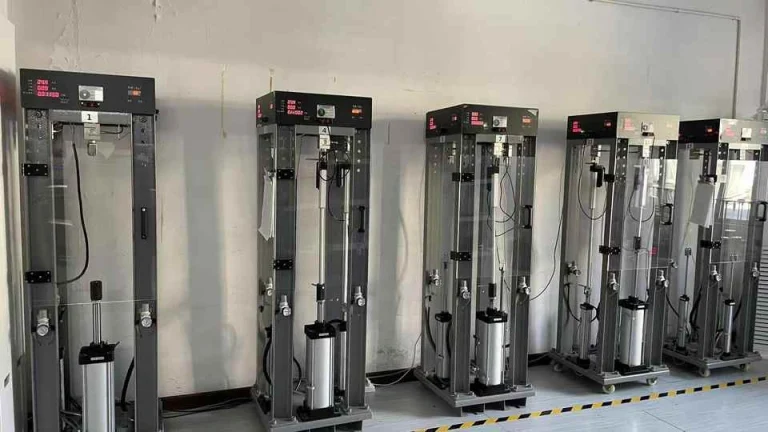
Lifecycle: Do not assume a universal cycle-life value from this article. Request lifecycle or endurance evidence for the exact IPTV configuration if the project requires a cycle-life acceptance criterion.
Safety / fault functions: Confirm current-limit, overload, obstruction/anti-collision, soft-start/stop, limit and fault behavior for the selected controller/module. Finished-cabinet clearances and safety validation remain system-level requirements.
2-Section vs. 3-Section Lifting Columns: Choosing the Right Configuration
For a concealed TV installation, compare the selected column/profile and drawing rather than assuming fixed 2-section versus 3-section performance. The required stroke, retracted height, extended height, cabinet opening, screen/bracket load and full-motion clearance should drive the configuration.
2-Section Lifting Columns
Characteristics:
Confirm the selected two-section column/profile and approved drawing
Confirm mechanism, guide and service details for the selected build rather than assuming lower complexity
Verify the actual retracted length and cabinet envelope on the selected drawing
Confirm load-dependent speed for the selected motor/controller configuration
Evaluate against:
Cabinet height/depth and the selected column’s retracted dimensions
Required full-stroke time under the actual moving load
Current quotation, required functions and cabinet integration cost
Actual TV + bracket moving load, leverage, guide support and safety factor
Stroke: Use the current available stroke list and selected-build drawing; do not assume a fixed 400–600mm range for every two-section configuration.
3-Section Lifting Columns
Characteristics:
Confirm the selected three-section column/profile and approved drawing
Compare actual stroke-to-retracted-length geometry on the selected build
Confirm load-dependent speed and motion behavior for the selected motor/controller configuration
Confirm working/dynamic load and test conditions; stage count does not establish load capacity
Evaluate against:
Cabinet opening, depth, height and full-motion envelope
Actual screen/bracket weight and geometry rather than diagonal screen size alone
Required visible rise, bracket offset and top-opening clearance
Required retracted position and cabinet closure geometry
Stroke: Use the current available stroke list and selected-build drawing; do not assume a fixed 600–800mm range for every three-section configuration.
Selection Guide
Review area
2-Section
3-Section
Selected drawing
Confirm retracted/extended dimensions and profile
Confirm retracted/extended dimensions and profile
Stroke
Current IPTV brief lists 300–1200mm options; confirm availability for the selected build
Moving load
Calculate screen + bracket + mechanism load, leverage, guide support and safety factor; confirm working/dynamic rating
Cabinet clearance
Verify opening, full-motion envelope, bracket offset and cable path
Speed / noise
Confirm selected motor/controller, load and test conditions
Commercial fit
Use current quotation and required configuration; do not infer lower/premium cost from stage count
Technical Specifications: Electric Linear Actuators for Smart Furniture
Understanding the technical parameters of electric linear actuators is essential for proper system design and integration.
Power Requirements
The current IPTV brief lists a 24V DC configuration and optional wall-power adapter paths. Confirm the selected supply, adapter input/output, plug, current capacity, controller compatibility and destination-market requirements before production.
Performance Metrics
Speed: Current brief lists 25mm/s no-load and 20mm/s full-load; confirm selected build and test conditions. Noise: Current brief lists <45 dB; confirm load, distance, measurement method, environment and selected configuration. Operating temperature: Current brief lists -20°C to +60°C; confirm selected motor, controller, cable, lubrication, enclosure and actual operating conditions.
Load Capacity by Model
Current IPTV brief
Published reference
Engineering boundary
Static load
1500N
Confirm working/dynamic load, screen + bracket weight, leverage, guide support, duty cycle, safety factor and test conditions
Stroke
300–1200mm options listed
Confirm exact available stroke, retracted/extended dimensions and drawing
Screen size
No universal mapping
Select from actual screen/bracket mass and cabinet geometry, not diagonal size alone
Integration with Control Systems
The current IPTV brief lists several possible control paths. Availability and behavior depend on the selected controller/module, region, app or hub, wiring and ordered configuration:
RF remote: listed as a possible control path; confirm selected remote, range, pairing and controller compatibility
Wired control: confirm whether a wall switch/handset or other hardwired interface is included in the selected configuration
Zigbee / Tuya: listed as a possible path; confirm module, target hub, region, app flow, pairing and account requirements
Bluetooth BLE: listed as a possible path; confirm selected controller/module, app or protocol and expected range
Installation Guide: Integrating Pop-Up TV Lifts into Cabinets
Concealed TV integration should follow the selected IPTV drawing, cabinet structure, screen/bracket load, full-motion clearance, power/control architecture and cable-routing requirements. The steps below are design-review checkpoints, not a universal installation procedure.
Pre-Installation Planning
Cabinet Design Requirements:
Internal dimensions must accommodate the lifting column in its fully retracted position
Provide adequate ventilation to prevent heat buildup around the television
Ensure structural support for the cabinet’s weight when loaded with TV and mechanism
Plan cable management pathways for power, HDMI, and other connections
Clearance Calculations:
Measure the TV’s dimensions including bezels and mounting bracket
Set clearance from the selected column/profile, TV/bracket envelope, cabinet opening and full-motion drawing rather than a universal 20–30mm rule
Calculate cabinet geometry from retracted/extended column dimensions, screen/bracket position, opening travel and required service/closure clearances
Installation Steps
Prepare the Cabinet: Cut mounting holes and install cable management channels
Mount the lifting column: use the approved bracket/fastener pattern, cabinet structure and torque/installation requirements for the selected build
Attach the TV bracket: verify VESA/interface compatibility, bracket rating, fasteners and the selected screen geometry; do not assume one universal bracket
Connect TV to Lift: Secure the television to the lift mechanism’s mounting plate
Install Control System: Connect power supply, control box, and user controls
Test Operation: Verify smooth extension and retraction before final assembly
Commission the system: verify configured limits, control functions, cable travel, stopping/fault behavior and full-motion clearance according to the selected controller/module
Cable Management Solutions
Cable routing should be engineered for the complete motion envelope and selected interface:
Use a cable chain or other guided routing method only when supported by the cabinet geometry and selected cable/column design
Define power/signal routing, bend radius, strain relief and EMC requirements for the actual wiring architecture
Provide controlled slack/service loops only where they remain clear of pinch points through full travel
If wireless control is used, confirm the selected module, power, app/hub dependencies and fail-safe behavior; the lift still requires its own power and motor wiring
Smart Home Integration: Confirm Module & Platform Compatibility
Smart-home functions are optional integration features, not inherent capabilities of the lifting column. Define the selected controller/module, command interface, app/hub, region, account/service dependencies, privacy/security requirements and safe behavior if the smart-home layer is unavailable.
Common Automation Scenarios
Example scene: a home-automation system could coordinate TV-lift movement with lighting or AV equipment only when the selected gateway/controller and automation platform support the required commands and sequencing.
Scheduled routine example: automated lift movement should be implemented only with the required controller/module, safe clearances and platform logic for the finished furniture.
Away-mode example: automatic retraction can be considered if the selected control architecture supports it and the system verifies that movement is safe at the time of command.
Bedroom furniture: the same mechanical selection rules apply—screen/bracket load, cabinet geometry, cable routing, controls, noise target and clearances must be confirmed.
Control System Compatibility
Do not claim compatibility with a named smart-home platform unless the selected controller/gateway has been verified for it. The current IPTV brief supports these configuration paths:
RF remote: confirm selected remote and controller pairing
Zigbee / Tuya: confirm module, hub/app, region and pairing flow
Bluetooth BLE: confirm module, app/protocol and range
Alexa-related control: confirm gateway/controller, account, region/language and service dependencies
Other platforms / APIs: require interface documentation and project-specific integration validation before compatibility is claimed
Applications: Where a TV Lift May Be Evaluated
Residential Living Rooms
Living-room cabinetry is one possible application when screen/bracket weight, cabinet geometry, clearances, controls, cable routing and noise requirements fit the selected IPTV configuration.
Home Theaters
Home-theater cabinetry can use a TV lift when the selected stroke, moving load, bracket geometry and cabinet opening support the intended display.
Bedrooms
Bedroom furniture can conceal a display without wall mounting, subject to the same load, clearance, noise, cable-routing and control requirements.
Kitchens and Dining Areas
Kitchen or dining furniture requires additional review of heat, moisture, contamination, cleaning and electrical conditions before a TV-lift configuration is approved.
Commercial Spaces
Hospitality or commercial fixtures may use TV lifts, but duty cycle, service access, controls, safety/fault behavior and applicable equipment requirements should be defined for the actual installation.
Marine and RV Applications
Marine, RV or other mobile applications require separate vibration/shock, voltage, mounting, corrosion, environmental-protection and regulatory review; do not infer suitability from a two-section column or compact packaging.
Maintenance & Troubleshooting: Follow the Selected Configuration
Maintenance and troubleshooting requirements depend on the selected IPTV build, cabinet, bracket, cables, controller/module and operating environment. Use the current product/order documentation and observed field conditions rather than fixed generic intervals.
Routine Maintenance
Lubrication: follow the selected column’s current maintenance documentation; do not add lubricant or an annual interval unless specified
Inspection: define fastener/bracket inspection from the finished furniture’s maintenance plan and actual service conditions
Cleaning: follow material/enclosure and electrical cleaning limits for the selected build
Cables / connectors: inspect routing, strain relief, pinch points and connections as required by the maintenance plan
Common Issues and Solutions
Observed issue
Check first
Next action
Uneven / jerky motion
Load path, guide alignment, obstruction, cable routing, supply/controller state
Stop operation and diagnose against the selected drawing and service documentation; do not assume lubrication is the cause
No response
Supply, adapter, controller/module, handset/pairing, wiring and faults
Use the selected electrical diagram and fault procedure
Unexpected noise
Mounting, cabinet contact, guide/load alignment, cables and mechanism
Stop if abnormal and inspect before continued operation
Display not level
Bracket geometry, fasteners, guide support and load distribution
Correct the assembly according to the approved drawing; do not compensate by forcing the lift
Warranty and Support
Warranty and technical-support scope are order- and market-specific. Confirm warranty term, covered components, exclusions, replacement process, controller/module coverage and support path in the applicable quotation or agreement.
Selecting the Right TV Lift System: Key Considerations
Choosing the optimal TV lift mechanism involves evaluating several factors:
Primary Selection Criteria
Television Weight: Verify the lifting column’s capacity exceeds your TV’s weight with margin
Television Size: Ensure mounting bracket compatibility with your screen size
Cabinet Dimensions: Confirm the mechanism fits within available space in both extended and retracted positions
Desired Extension Height: Determine how far above the cabinet the TV should rise
Control Preferences: Select appropriate control options for your use case
Budget Considerations: Balance features against project cost constraints
Questions to Ask Suppliers
What is the difference between a 2-section and 3-section TV lift?
Stage count describes column geometry, not a guaranteed speed, load or screen-size class. Compare the selected 2-section or 3-section drawing for stroke, retracted/extended dimensions, moving load, speed, cabinet opening and full-motion clearance.
Can I integrate the TV lift with voice assistants like Alexa or Google Home?
The current IPTV brief lists Alexa-related integration as a configuration-dependent control path. Confirm the selected controller or gateway, account setup, region/language, app/service dependencies and destination-market requirements. Do not claim Google Home or any other named platform unless that exact integration has been verified.
What happens if an object blocks the TV lift while it is moving?
Do not assume built-in collision detection or a specific stop/reverse behavior. Confirm the selected controller/module’s obstruction, current-limit, overload, limit and fault functions, then validate the finished cabinet for clearances and representative obstruction cases.
How much load can the IPTV platform handle?
The current IPTV brief lists 1500N as a static-load figure. Confirm working/dynamic load, screen and bracket mass, leverage, guide support, duty cycle, safety factor and test conditions for the selected build. Do not map that number directly to a TV diagonal or an unverified IPTV-3S-Pro rating.
Possible Design Directions: Verify Before Specification
Additional sensing, connectivity or materials may be considered in future/custom furniture projects, but they should be treated as project requirements to validate rather than assumed IPTV capabilities.
Emerging Technologies
Possible design directions: touchless sensing, predictive/automated control, alternative power/interface architectures or lighter structural materials may be evaluated when the project defines their interfaces, failure modes, privacy/security implications, load limits and validation criteria. None should be presented as a current default IPTV feature.
Project Drivers to Define
Required cabinet/display aesthetics and concealment behavior
Required control interface, hub/app/voice ecosystem and offline behavior
Target market, supply/plug requirements, documentation and commercial constraints
Current quotation, BOM, module availability and lifecycle/replacement plan
Actual residential, hospitality or commercial duty, service and safety requirements
Conclusion: Specify the Complete TV-Lift Assembly
The IPTV series is a configurable OEM platform for concealed-display furniture and AV integration. Final suitability depends on the selected stroke, retracted/extended dimensions, working load, speed, noise target, power supply, controller/module, enclosure protection, mounting geometry, cable routing and required documentation.
Choose a 2-section or 3-section configuration from the actual cabinet envelope and selected drawing, not from fixed speed/load/screen-size assumptions. If smart-home control is required, verify the exact controller/module, platform dependencies and safe system behavior separately.
For a project review, use the following current category/product pages as starting points and confirm the selected configuration before approval:
IPTV TV Lifting Column – configurable OEM platform; confirm load, stroke, speed, power, controls, enclosure and documents
Smart Home & Furniture – application category; confirm component and integration evidence by project
Lifting Columns – category for candidate columns; confirm available configurations and ratings
Sources & Evidence Boundary
Current IPTV product page — source for the current brief’s configuration-specific load, stroke, speed, noise, power, IP54 and control-path references.
VESA standards — verify the actual display/mount interface applicable to the selected screen and bracket.
Any named smart-home platform, wireless module or compliance claim requires current documentation for the selected controller/module, region and destination market.
Get Expert Insights on Industrial Motion Control
Selecting the right electric linear actuator or lifting column is critical for your project's performance. As a professional Motion Control & Automation Manufacturer, our engineers help you customize load capacity, stroke length, and IP ratings based on your specific application. Share your technical requirements for a tailored solution.
ActuLift supports end-to-end customization, from structural design and stroke parameters to branding and casing finishes, helping you build a powerful brand identity.
Rapid Response & Prototyping
We understand the importance of speed in B2B procurement, utilizing optimized production workflows to ensure efficient responses from sample development to bulk delivery.
Quality Documentation & Traceability
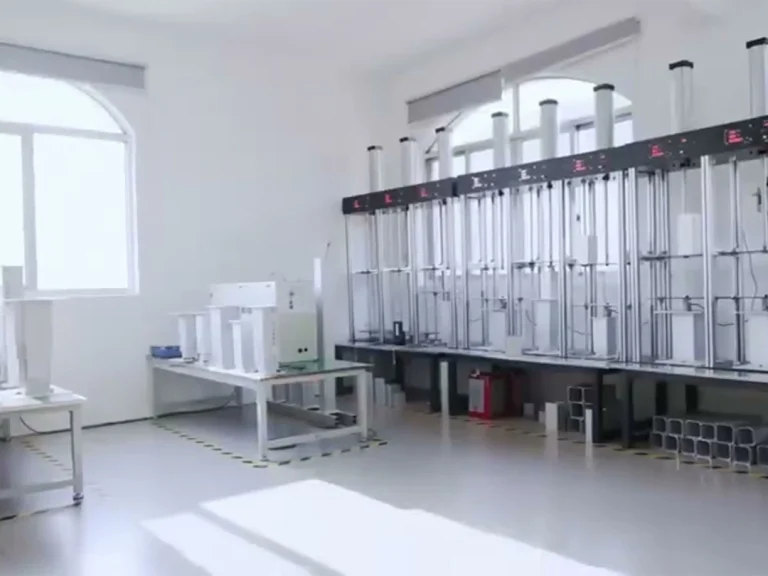
Quality and traceability requirements vary by project. Ask ActuLift for the applicable inspection records, product specifications, drawings and available compliance documentation for the selected model and order.